

Odoo OCR by Magenest
Add a review
Odoo OCR by Magenest
Add a review
Description
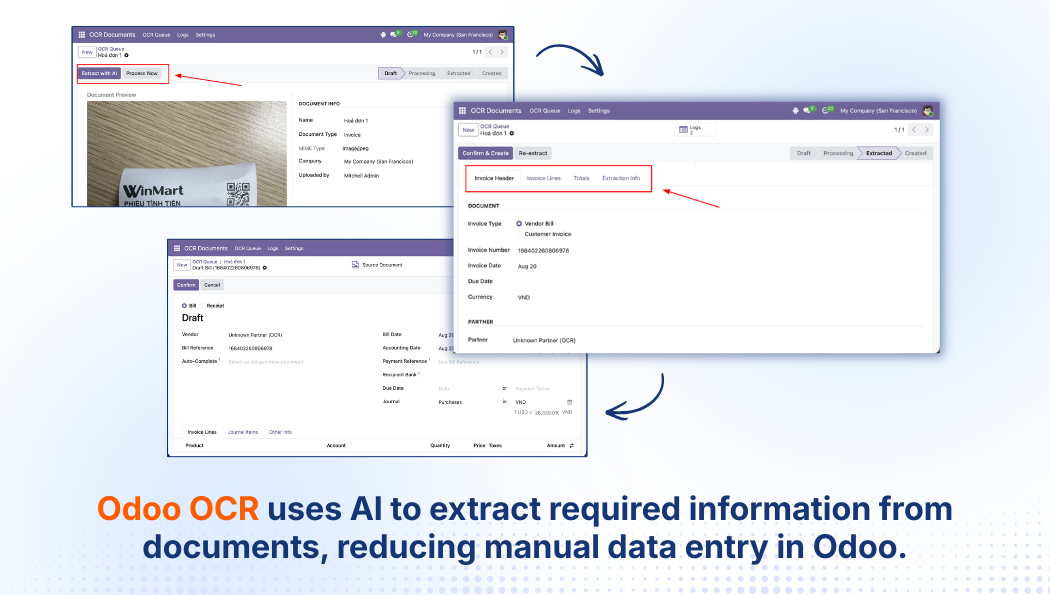
Odoo OCR helps businesses automate document data entry in Odoo with AI. The system reads and extracts information from documents, converts it into structured data, and allows users to review the results before creating records directly in Odoo.
In addition to processing individual documents, Odoo OCR supports Bulk Upload, splitting multiple Purchase Orders from a single file, and automatic invoice-to-purchase-order matching, helping businesses reduce manual data entry and process documents more efficiently.
- Extract document data with AI
- Create records directly in Odoo
- Process multiple documents at once
- Split multiple Purchase Orders from a single file
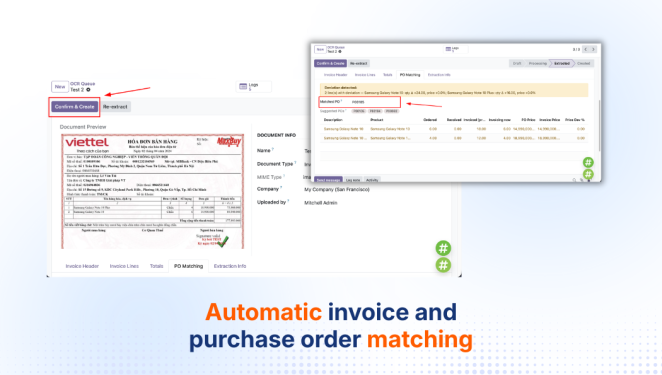
- Automatically match invoices with Purchase Orders
- Integrate directly into Odoo document workflows
Details
Who Can Benefit from Odoo OCR?
Odoo OCR helps teams that work with documents reduce manual data entry and bring document processing directly into Odoo.
Accounting Teams
Process Invoices and Vendor Bills more efficiently.
Procurement Teams
Digitize and process Purchase Orders inside Odoo.
Finance Managers
Standardize document data entry workflows.
Operations Teams
Reduce repetitive manual data entry tasks.
ERP Managers
Bring document processing into the Odoo environment.
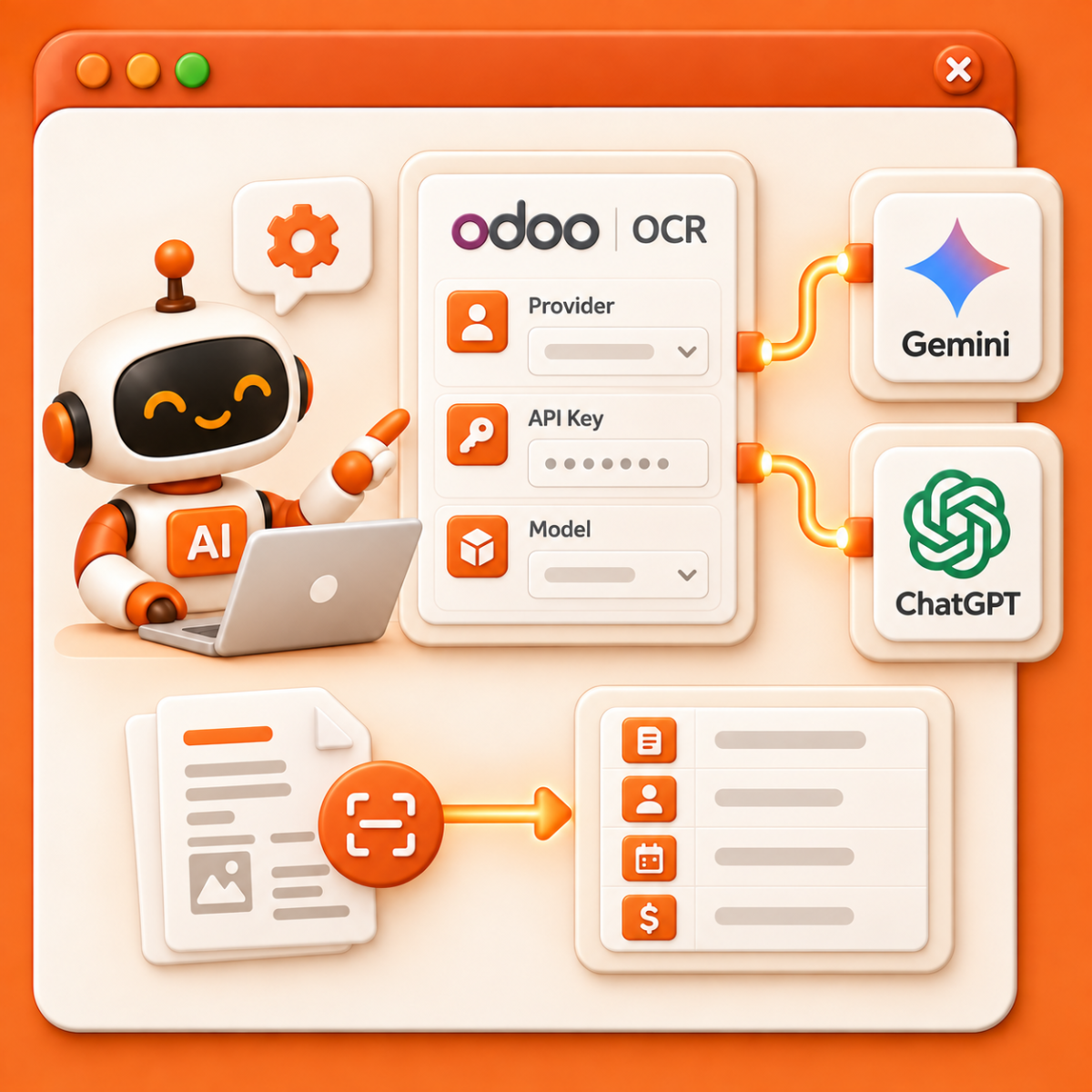
Flexible AI Model Configuration
Odoo OCR allows businesses to choose the AI model used to process documents and extract data. Administrators can configure the AI Provider, API Key, and Model directly in Odoo.
The system currently supports Gemini and ChatGPT, giving businesses the flexibility to select the AI model that best fits their requirements.
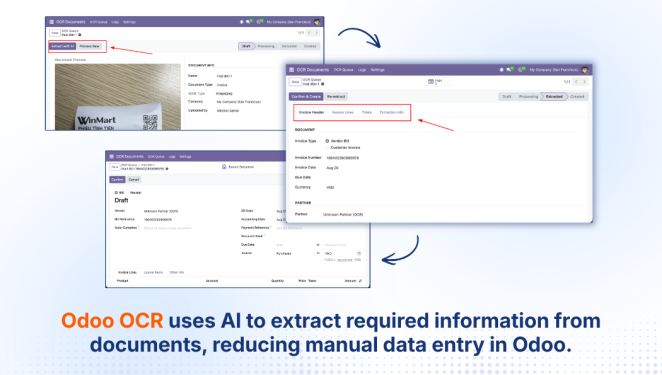
AI-Powered Data Extraction and Record Creation
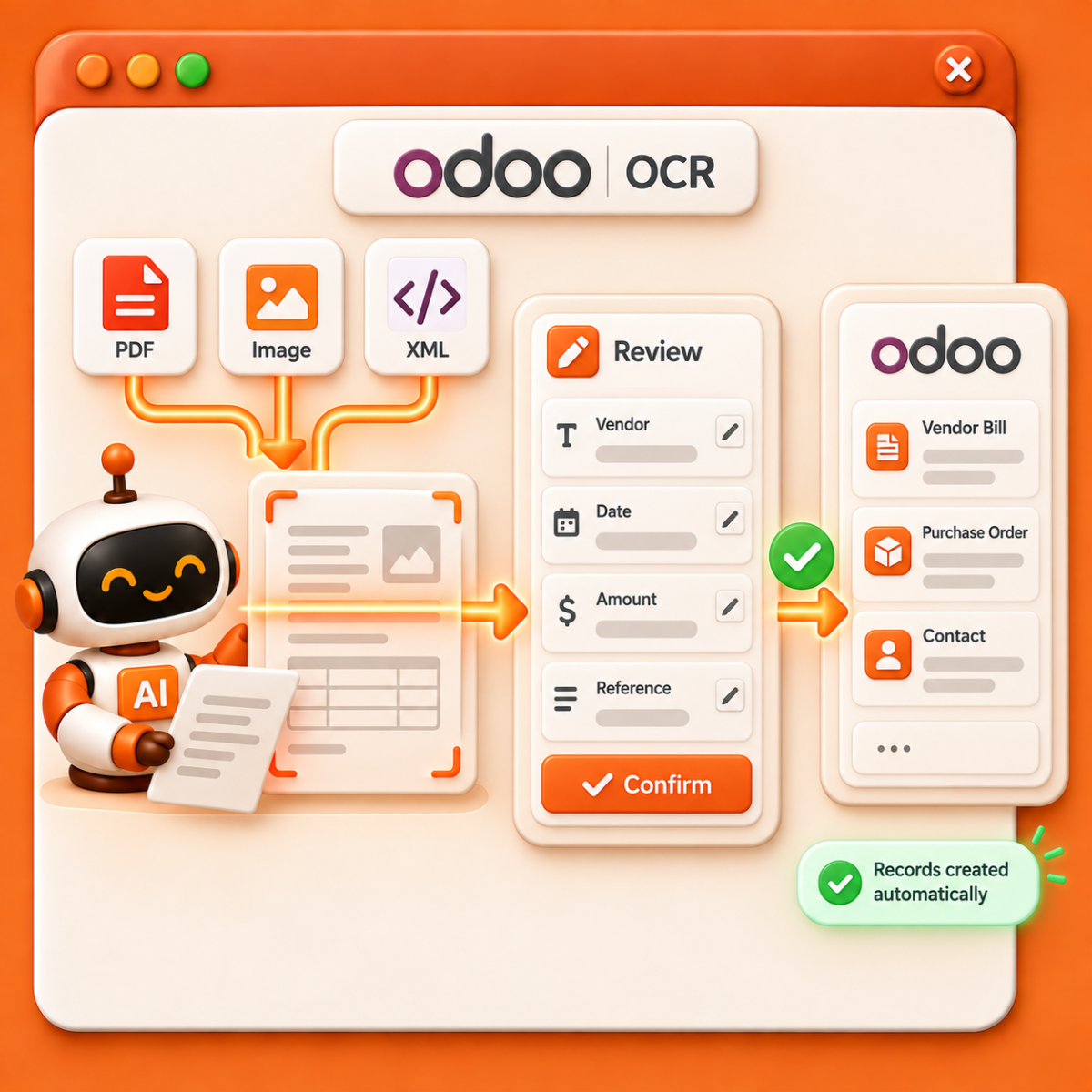
Odoo OCR uses AI to read documents and automatically extract required information, eliminating the need to enter each field manually in Odoo.
Extracted data is displayed for users to review, edit, and confirm before creating records in the system. Supported document types include PDF, Image, and XML.
When the extracted data is complete and meets the configured requirements, the system can also create records automatically, shortening the process from document intake to further processing in Odoo.
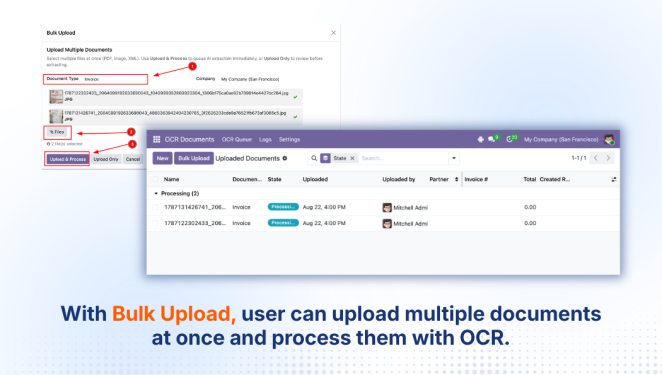
Bulk Document Processing
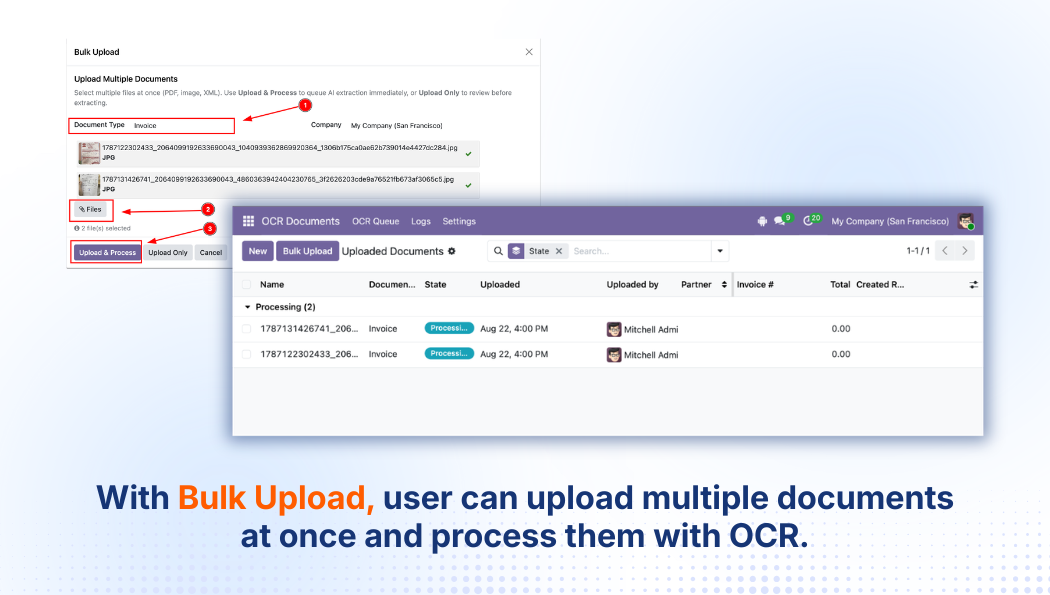
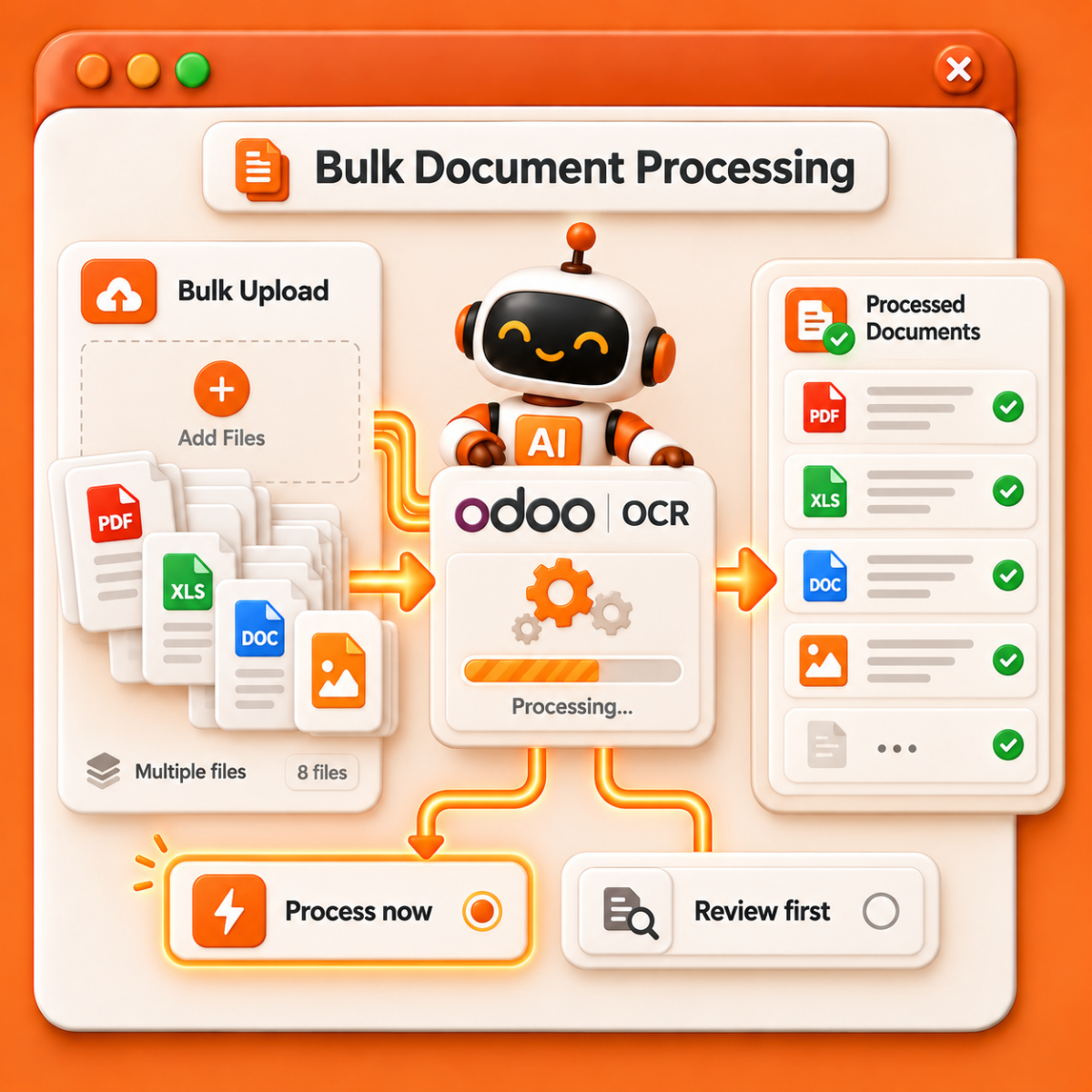
With Bulk Upload, users can upload multiple documents at once and send them through the OCR process instead of handling each file individually.
Users can choose to process documents immediately after upload or save them for review first, providing greater flexibility when working with larger document volumes.
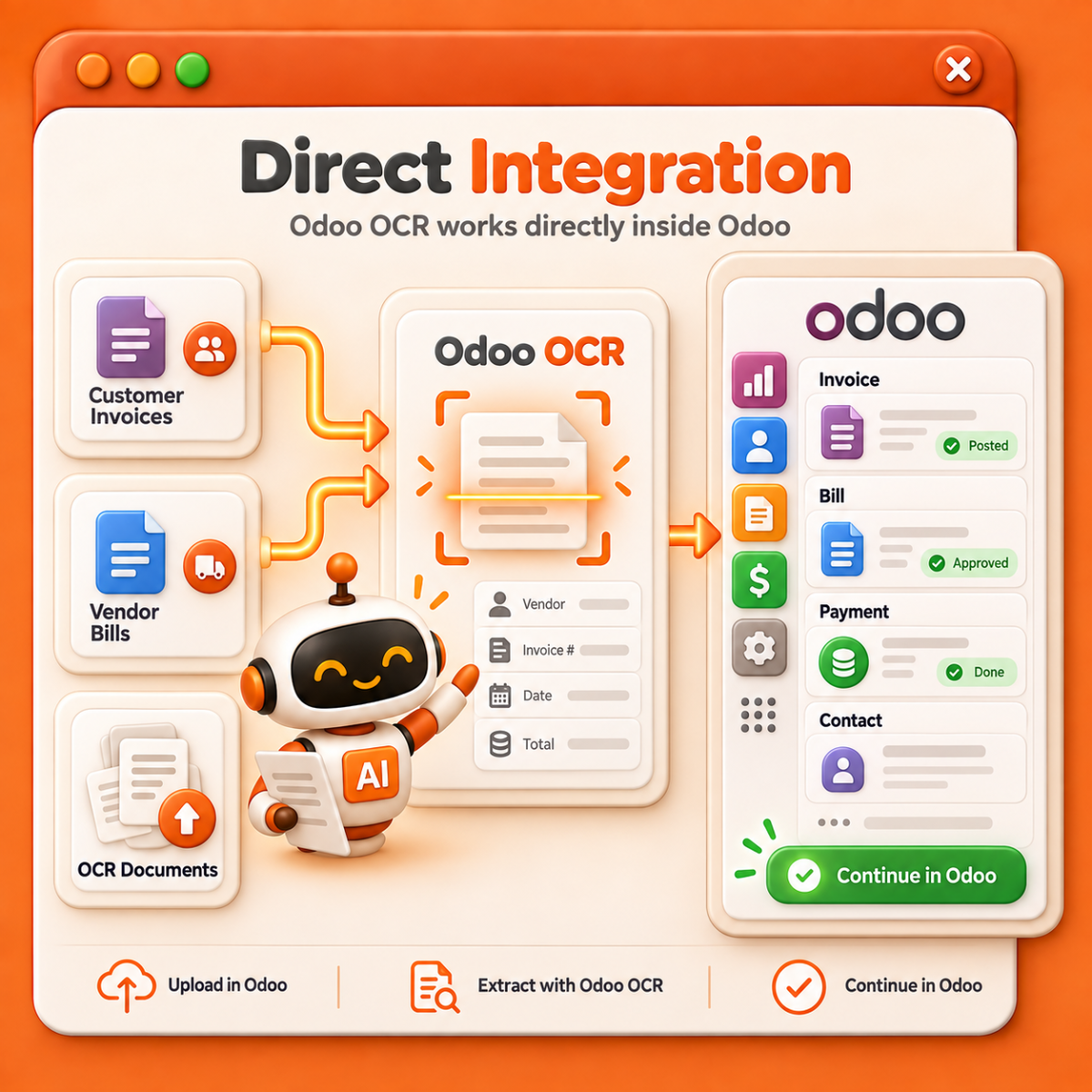
Direct Integration with Odoo Workflows
Odoo OCR operates directly within Odoo, allowing users to upload documents, extract data, and continue business processing within the same system.
In addition to OCR Documents, files can also be uploaded from Customer Invoices and Vendor Bills, reducing the need to move between a separate OCR tool and the ERP system.
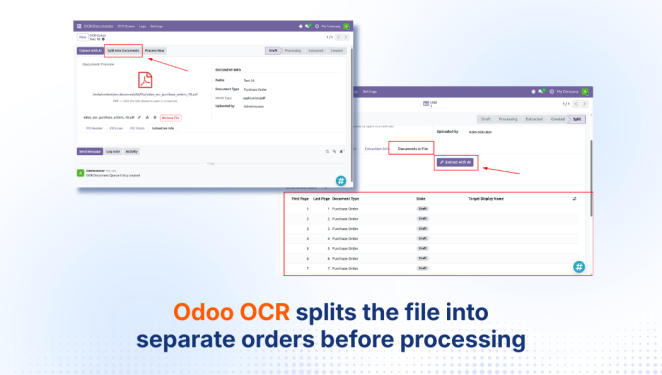
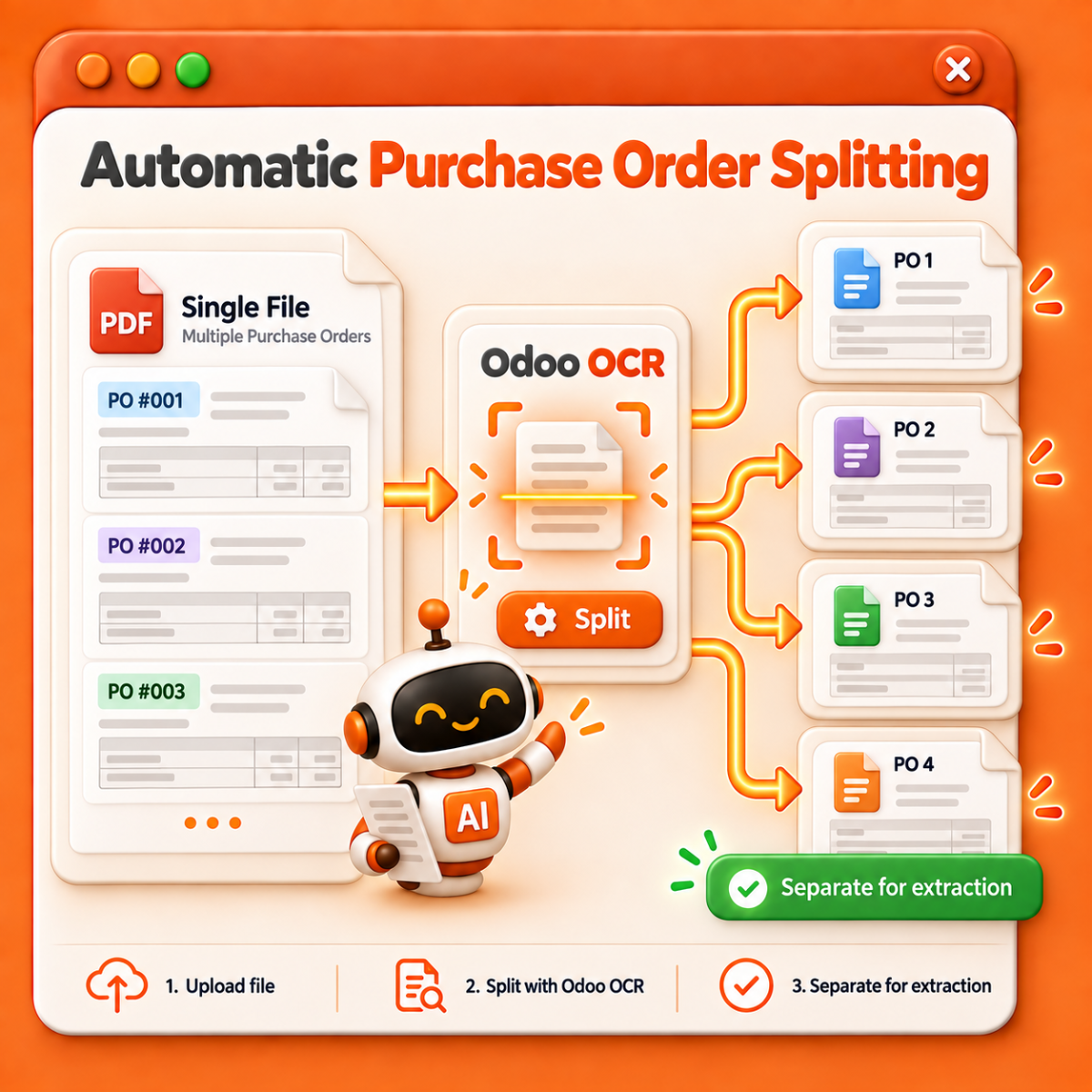
Automatic Purchase Order Splitting
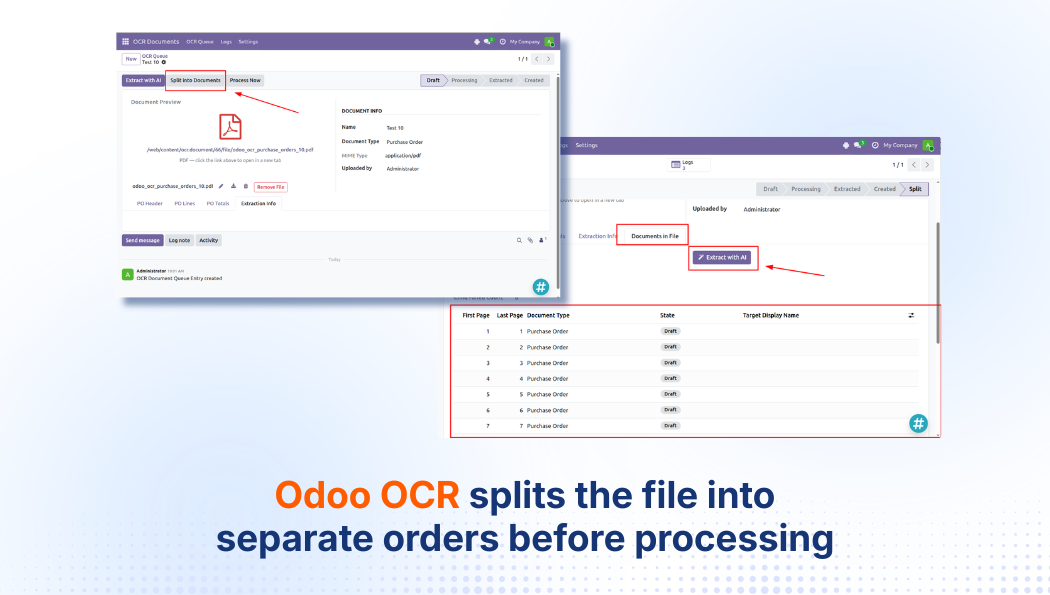
When a single file contains multiple Purchase Orders, Odoo OCR can split the file into separate orders before processing.
Each Purchase Order is then displayed as an individual document for AI extraction, helping prevent data from different orders from being mixed during processing.
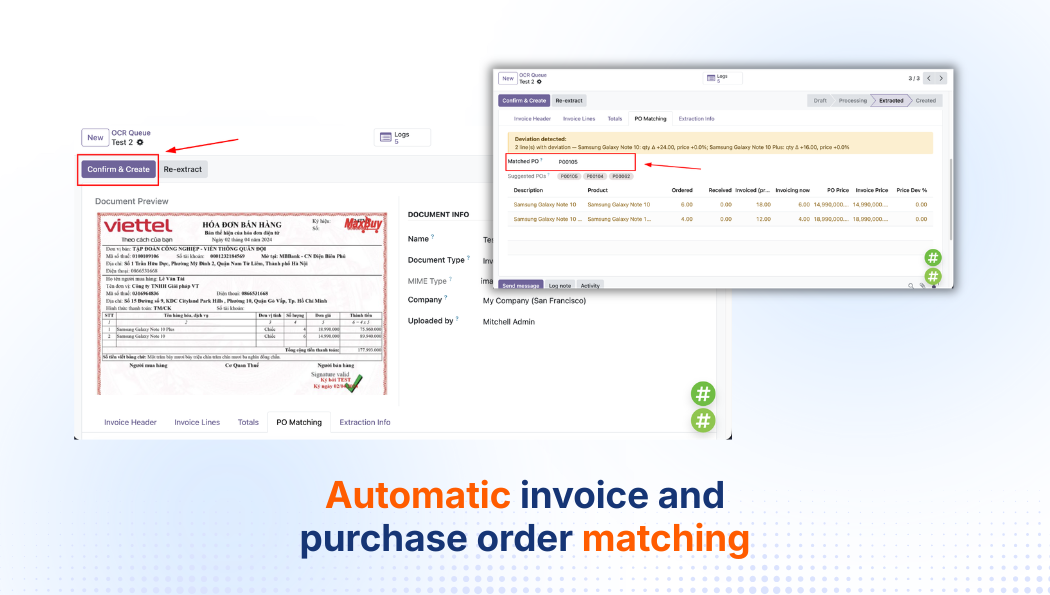
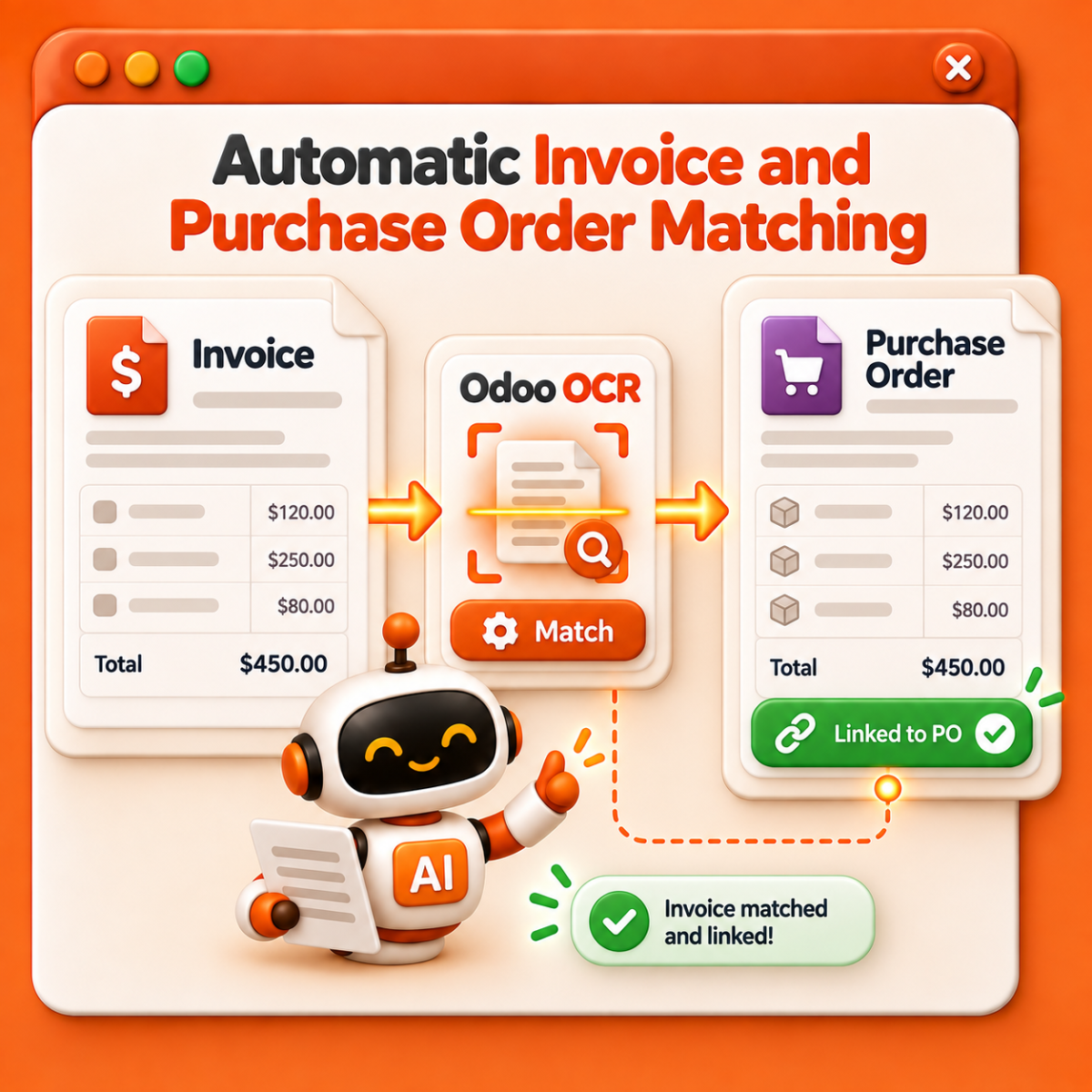
Automatic Invoice and Purchase Order Matching
Odoo OCR supports matching invoices with Purchase Orders in Odoo, reducing the time users spend searching for and comparing documents manually.
Once processed, an invoice can be linked to the related purchasing record, creating a more seamless document processing workflow.
How Odoo OCR Works
1
Upload Documents
Select the document type and upload one or multiple files to Odoo OCR.
2
AI Reads and Extracts Data
AI analyzes the document and converts the required information into structured Odoo data.
3
Review and Confirm
Users review the extracted information and make edits if needed before confirming.
4
Create Odoo Records
Odoo OCR creates the corresponding record so users can continue working within the existing business workflow.
Reason to choose Magenest


Free lifetime
software updates

Verified by
Magento Marketplace
One-time payment
without hidden cost